
FREE RESELLER PROFIT CALCULATOR
What did this sale
actually leave?
Start with the item price. Include what you paid to buy, ship and sell it.
One completed sale. Actual dollar fees. A calculation you can keep.
USD · No signup · No automatic platform fee estimates · No refunds or returns
Fictional camera resale: $90 item sale − $30 acquisition − $12 fees − $8 postage − $2 packaging = $38 contribution for this transaction. The paid workbook’s example also includes an earlier refunded sale; the camera’s complete history is different.
SEE WHAT CHANGED
How do I calculate
reseller profit?
Single-sale contribution = item sale + shipping received − acquisition cost − actual selling fees − shipping paid − packaging − other sale costs. This includes only the costs entered, so it is not complete business net profit.
Example: $90 receipts − $22 selling costs = $68 sale cash. Deduct $30 acquisition and this transaction leaves $38. For a full view, you also need unsold purchases and any return history.
Use actual fee amounts from your statement. Fee rates and fee bases vary; this tool doesn’t quote marketplace fees or reconcile a marketplace payout. Negative contribution is shown as a loss, never changed to zero.
WHEN ONE SALE BECOMES A PILE OF RECORDS
Track the item.
Keep its history.
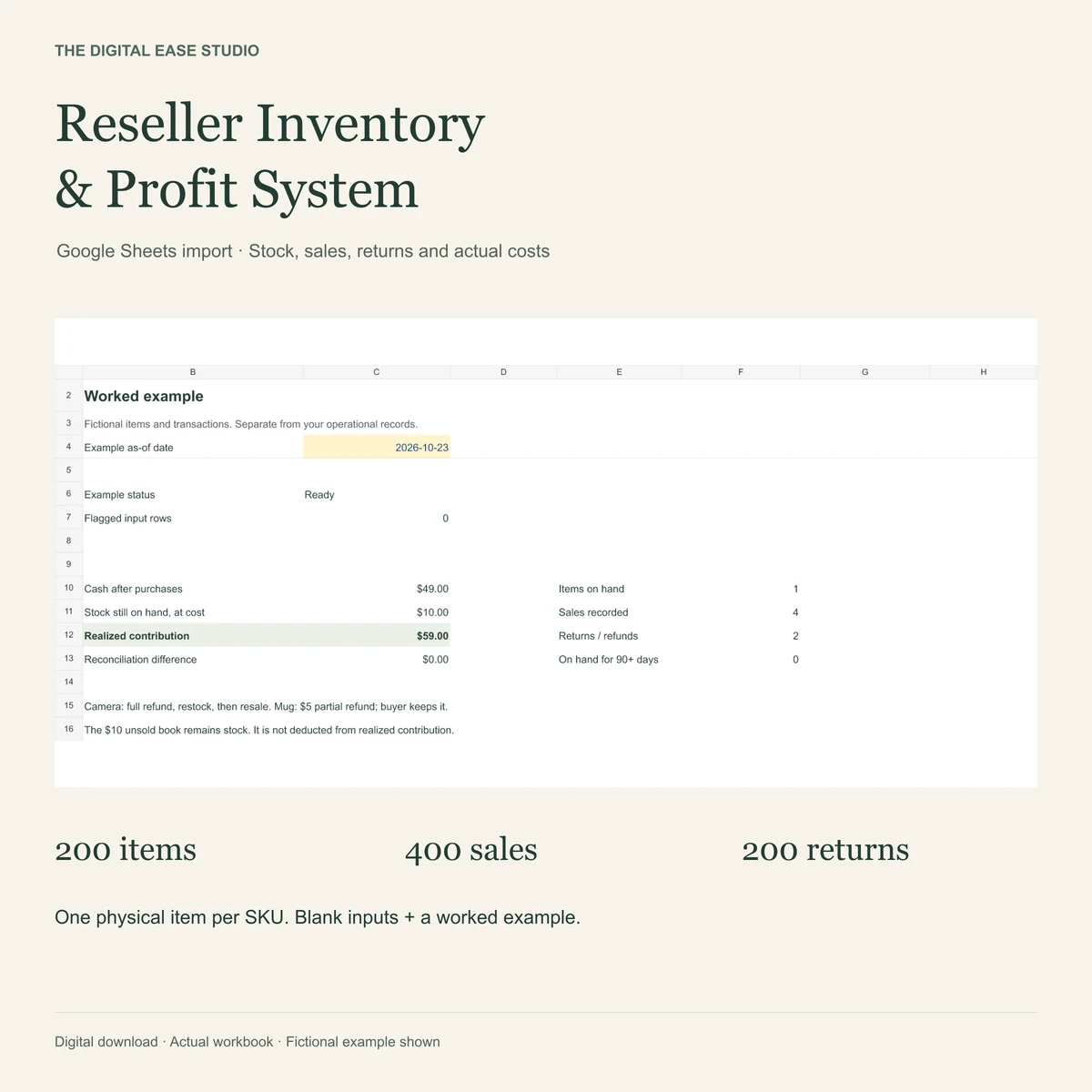
The Reseller Inventory & Profit System connects individual items, locations, purchases, sales, returns and recovered stock costs in a manual Google Sheets import workbook.
- 200 individual items · 400 sales · 200 consolidated return records
- Cash after purchases, unsold stock at cost and realized contribution
- A fictional return, restock and later resale example
View on Etsy ↗View on Gumroad ↗
One-time $19 digital download. XLSX + two written guides. Import and convert in desktop Google Sheets; Google account and internet required. Manual entry, no marketplace sync. One physical item per SKU; one consolidated return per sale; a resale must be dated after its restock. Other apps and mobile aren’t verified. Excludes complete bookkeeping and tax filing.
Before using the result.
Which marketplaces does this calculate fees for?
It doesn’t estimate any platform’s fees. Enter the actual combined dollar cost from your records, including any separate processing fee once. If a combined fee already includes processing, don’t enter it twice. This avoids assuming an outdated rate or the wrong fee base.
What if my buyer paid for shipping?
Enter the shipping money you receive in Shipping received and the shipping cost you pay in Shipping paid. The difference changes contribution. If the item sale amount already includes shipping money, use 0 for Shipping received to avoid duplication.
Can I use this for a refund, return or resold item?
This free tool checks one completed sale without its own refund or return. You may check a later resale transaction on its own, but the result excludes previous sale and return costs. It cannot represent the whole item’s history. The paid workbook records one consolidated return/refund per sale, actual fee credits and whether the item came back to sellable stock.
Is the percentage markup or ROI?
Neither. It is contribution divided by item-plus-shipping receipts. It can be negative and is unavailable when receipts are zero. It excludes unentered costs, so it is not your complete business net margin.
Does this save or share the amounts?
No Studio account is required. Amounts stay in browser memory and are lost when this page is reloaded. Copy or Download TXT keeps a local result. Optional analytics records usage and shop clicks, never the amounts or calculation. Our website host may handle ordinary request logs.
What currency and values can I enter?
Use USD amounts with a period for decimals, up to two decimal places. Properly grouped commas such as 1,234.50 are accepted. Each amount must be between 0 and 1,000,000 USD. Enter explicit zeros, not blank fields. No currency conversion is provided.